By Orch8 Engineering · Editorial policy
How to Detect Silent Automation Failures When Every Run Looks Green
Monitor whether a workflow started when expected, whether its execution made progress, and whether the intended business result reached the destination. Error alerts cover only the middle of those three. An external deadline check and a destination receipt catch failures that a green execution cannot.
What is the practical answer?
Monitor whether a workflow started when expected, whether its execution made progress, and whether the intended business result reached the destination. Error alerts cover only the middle of those three. An external deadline check and a destination receipt catch failures that a green execution cannot.
Evidence: r/n8n: monitoring production workflows · r/n8n: green runs that did nothing · r/n8n: stale data despite successful runs
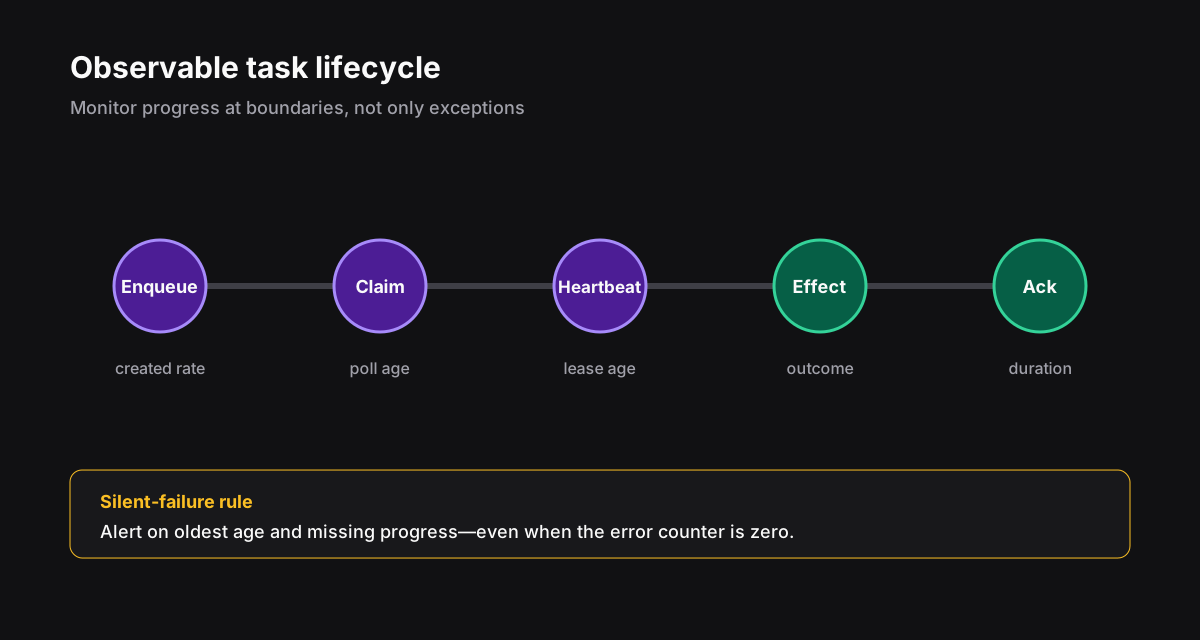
Monitor the trigger, execution, and business outcome separately
An error alert says a run failed. It says nothing about a run that never started, or one that finished after processing the wrong data. The linked community threads give examples of missed schedules, empty API responses, and stale data. Those are anecdotes rather than frequency estimates, but they show why execution status alone is an incomplete contract.
The trigger promise asks whether a run began before its deadline. The execution promise asks whether it finished, waited, retried, or stalled. The business promise asks whether the expected destination object exists and is fresh. Record each with its own evidence and owner.
| Signal | Failure found | Example alert |
|---|---|---|
| Missing start by deadline | Dead schedule or trigger | Invoice sync did not start by 08:15 |
| Run age | Stuck task | Run 412 still processing after 45 minutes |
| Invalid output shape | Upstream contract drift | CRM response has no customer ID |
| Stale source timestamp | Repeated cached data | Newest order update is 28 hours old |
| Missing destination receipt | Green run without effect | Report completed but no report row exists |
Check expected starts outside the workflow
Store the last expected and observed start times in a monitor independent of the workflow runtime. A check embedded in a workflow cannot detect that the workflow never ran. Give each schedule a grace period derived from the business process: an hourly feed and a weekly batch should not share one fixed threshold.
Start with one important automation, its schedule, expected input range, output artifact, and alert owner. For a daily report, the artifact may be a database row plus an email-provider receipt. For an order sync, keep the newest source order ID and the corresponding destination ID. Avoid sensitive payloads in metric labels and alert text.
Make green mean useful, not merely completed
Validate response shape before using it and record the last confirmed downstream write. An item count alone may pass when an upstream feed serves the same old rows every day, so include a source freshness bound where the domain has one. Zero data can be legitimate; the alert should explain the expectation, observation, and verification path rather than declaring every empty result broken.
A durable engine such as Orch8 can report run and step state. It cannot infer whether a customer record in another system is correct. That assertion belongs to the application or an independent monitor. Keep engine error alerts, but do not mistake them for business-outcome checks.
Break the monitor before trusting it
In a test environment, disable the trigger, return an empty-but-valid response, and block the destination write. Each condition should produce a different, actionable alert. If all three leave the dashboard green, the dashboard measures activity, not useful work.
Do not blindly replay a silent run. The destination may have accepted an effect before an acknowledgement was lost. Reconcile by the same business intent ID, then retry only when safe.
Sources and further reading
Official references support technical claims; community discussions are used only as problem signals.